# ¿Cómo configurar Redirecciones de dominios en Plesk?

Una **Redirección de dominio** te permitirá mostrar el sitio web de otro dominio cualquiera. Las redirecciones pueden crearse en un dominio o subdominio.

Seguí estos pasos para crear una **Redirección**:

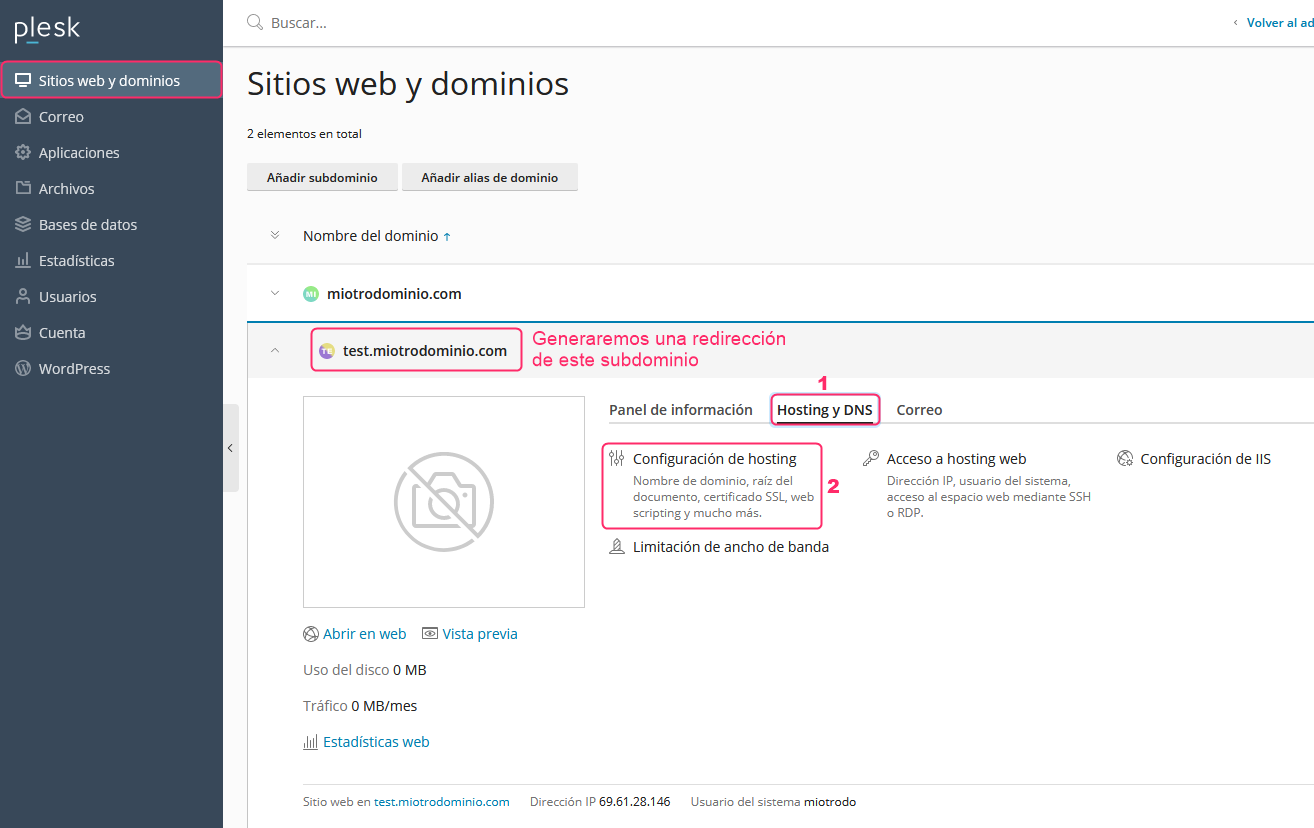
1. Desde **Sitios web y dominios**, en el menú de la izquierda, elegí el dominio o subdominio que quieras redirigir.

Luego hacé clic en la opción **Hosting y DNS** y luego ingresá a **Configuración de hosting**.

<figure><img src="/files/MmVmUHHaEJwnpl7SUr1b" alt=""><figcaption></figcaption></figure>

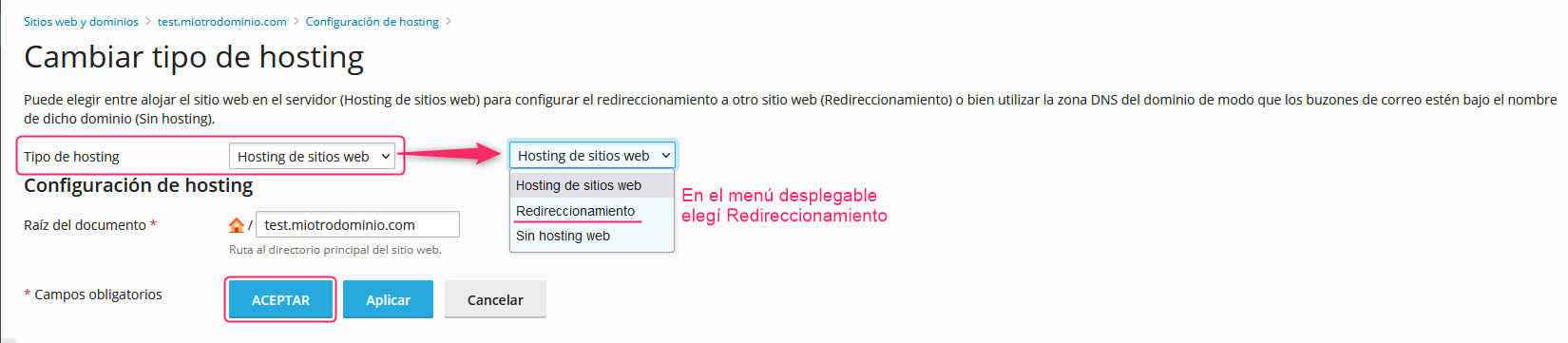
2. En la nueva pantalla, verá la opción **Tipo de Hosting**. En el menú desplegable elegí **Redireccionamiento**.

Luego grabá el cambio con el botón **ACEPTAR**.

<figure><img src="/files/JgkIW8uTAMvWJU3aHOQ8" alt=""><figcaption></figcaption></figure>

{% hint style="info" %}
**¡Cuidado!** Al configurar un dominio o subdominio como **Redirección**, si éste mostraba su propio contenido web, este contenido se borrará.
{% endhint %}


---

# Agent Instructions: Querying This Documentation

If you need additional information that is not directly available in this page, you can query the documentation dynamically by asking a question.

Perform an HTTP GET request on the current page URL with the `ask` query parameter:

```
GET https://ayuda.sitioshispanos.com/menu-principal/guias/paneles-de-control/panel-de-control-plesk/redirecciones-de-dominio/crear-redirecciones-de-dominios-en-plesk.md?ask=<question>
```

The question should be specific, self-contained, and written in natural language.
The response will contain a direct answer to the question and relevant excerpts and sources from the documentation.

Use this mechanism when the answer is not explicitly present in the current page, you need clarification or additional context, or you want to retrieve related documentation sections.