# ¿Qué hacer si mi conexión al servidor fue bloqueada por el firewall?

Si no ves tu página online, las casillas de correo no funcionan y no podes acceder a tu panel de control, es muy probable que el firewall del servidor te haya bloqueado.

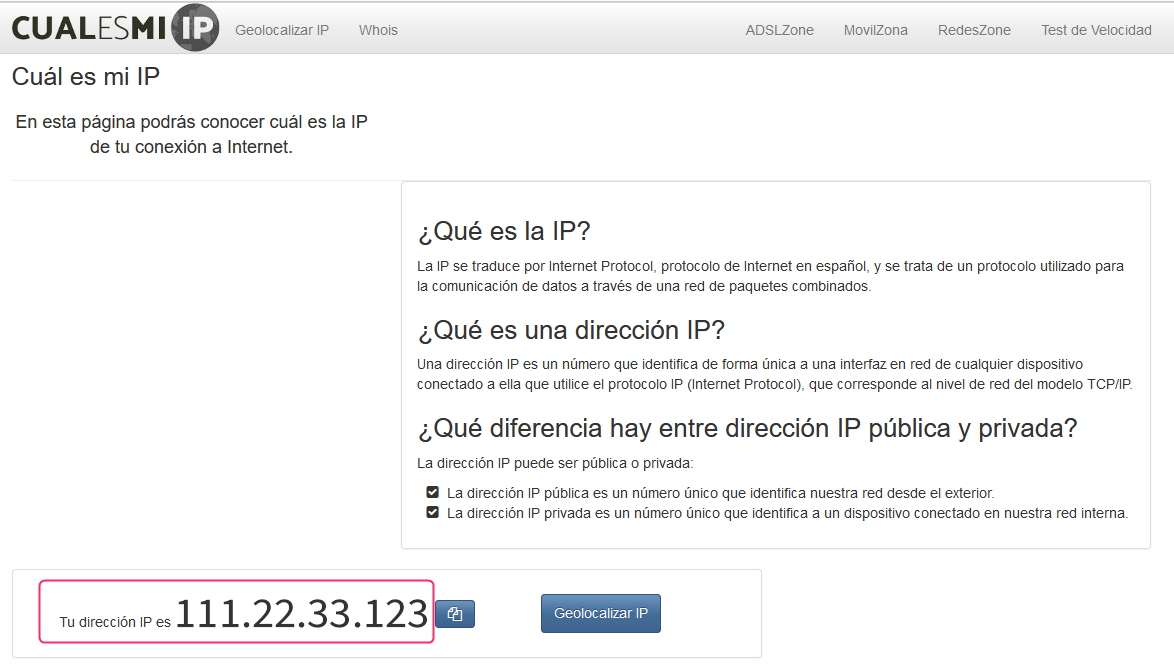
Ingresá a la siguiente página para ver rápidamente cual es tu IP: <https://www.cual-es-mi-ip.net/>.

<figure><img src="/files/UIArApaINGjM6fw7Z5SB" alt=""><figcaption></figcaption></figure>

Luego, comunicate con el soporte técnico informándoles del incidente, pasales tu IP y ellos revisarán en el firewall el posible bloqueo.

Si tu conexión fue bloqueada te desbloquearán y te informarán qué causó el problema.\
Normalmente es un ingreso repetido de una contraseña de panel de control o de una casilla de correo.

{% hint style="info" %}
En los buscadores encontrarás muchas páginas que te mostrarán tu IP. Podés buscarlas escribiendo "cuál es mi IP". Por ejemplo, esta es otra página similar: <https://miip.es/>.
{% endhint %}


---

# Agent Instructions: Querying This Documentation

If you need additional information that is not directly available in this page, you can query the documentation dynamically by asking a question.

Perform an HTTP GET request on the current page URL with the `ask` query parameter:

```
GET https://ayuda.sitioshispanos.com/menu-principal/guias/web-hosting/soluciones-a-problemas-de-hosting/mi-conexion-al-servidor-fue-bloqueada.md?ask=<question>
```

The question should be specific, self-contained, and written in natural language.
The response will contain a direct answer to the question and relevant excerpts and sources from the documentation.

Use this mechanism when the answer is not explicitly present in the current page, you need clarification or additional context, or you want to retrieve related documentation sections.